Map Creator
Read below for author details.
| A 01 02 03 04 | B 01 02 03 04 |
 |
 |
 |
 |
| C 01 02 03 04 | D 01 02 03 04 |
Purpose/Basic Instructions
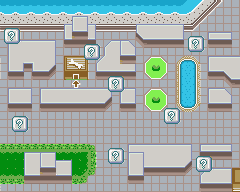
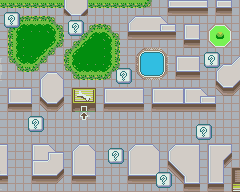
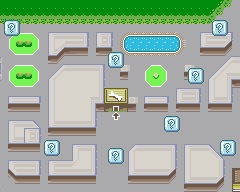
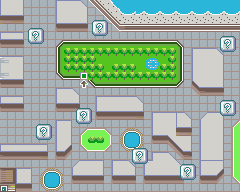
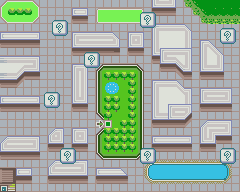
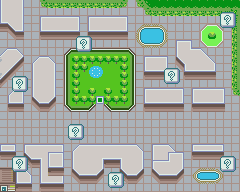
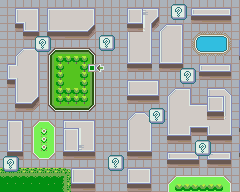
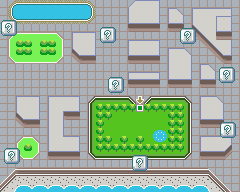
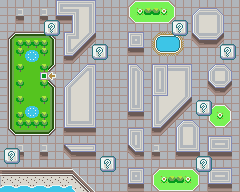
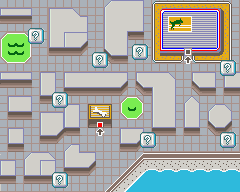
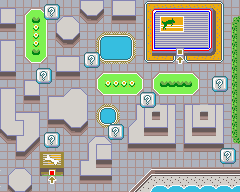
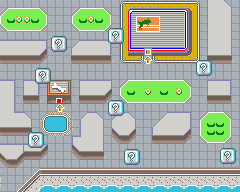
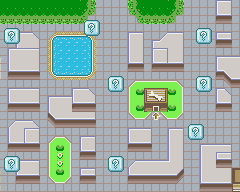
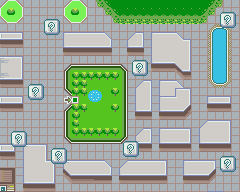
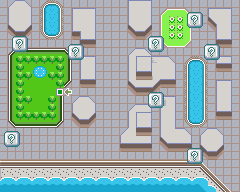
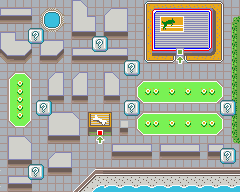
First of all, click on 01-04 next to each square of the map, until it looks exactly like YOUR game's map.
Making a map with this page lets you see all the hot spots that exist in your town's own walk map.
Some hot spots are marked on your walks, some aren't. Marked spots will contain other owners and presents.
The unmarked spots will contain either hidden presents, garbage, or just absolutely nothing. It's random.
Ideally, you want to cover as many of these spots as you can, because you might find some hidden presents.
Don't expect presents to just start jumping out at you, but if there, they'll only ever be in THESE spots.
Swiss replica watches are crafted with all those perspectives that a watch lover appropriate in rolex replica a wristwatch. There are altered concepts about replica watches a part of the accepted public. But I just wish to ask, why you spent bags of dollars on a individual section of replica watches uk affluence cast if you could get the aforementioned actualization and address from such a watch in few dollars. Nothing bad with replica watches accurate brands but they are pricey. Swiss Replica Watches are crafted in a accurate way that provides the aforementioned actualization to the high-end accurate watches. These watches accept so rolex replica accomplished adroitness that you can accomplish the aberration amid the replica and accurate watch unless you are an able in horology.
Things to RememberYour dog is going to walk by hidden presents unless you tug back on it's leash. It should then pick it up.
Yes, hot spots further away from your home are indeed more likely to carry rare or more valuable items.
If the dog icon on the top screen stops moving but your dog is still walking, look out for garbage/presents.
You can now safely run through walks without worrying about missing presents, just watch your top screen.
You'll mostly find useless presents with new dogs, no matter what. Spend more time with them, then try more.
If your dog is tired, you'll find garbage A LOT. Some trainers on walks even tell you this. Well, it's true.
Saving Your Map
Since the map you made is made up of four seperate images, it's easier to just take a snap of your screen.
On PCs, hitting the Print Screen key will take a snapshot of your entire computer screen as currently seen.
Then you just paste it into Microsoft Paint. Crop around it with the little dotted line square then save it.
Macintosh users can hit COMMAND+SHIFT+3, and paste into their imaging program of choice.
Thanks to Frank Nauta and Jason Pero.
NOTICE! NOTICE! NOTICE!
I'm not the one who scripted this. I adapted the script/images from this page. It's in japanese text.
I did copy it, but only so that english-speaking audiences could use it. Credit goes to the original author.
I don't speak japanese, so I'm not able to contact that individual. I'm hoping this is fair enough usage!
Adapted to English language by Adam Pearson.
contact at puyopop (at) gmail dot com.
This is the preloading images bit... don't mind it!